 Pockode
Stories and agent roles
Hand a goal to a team of agents, answer what they ask, and decide how each of them works.
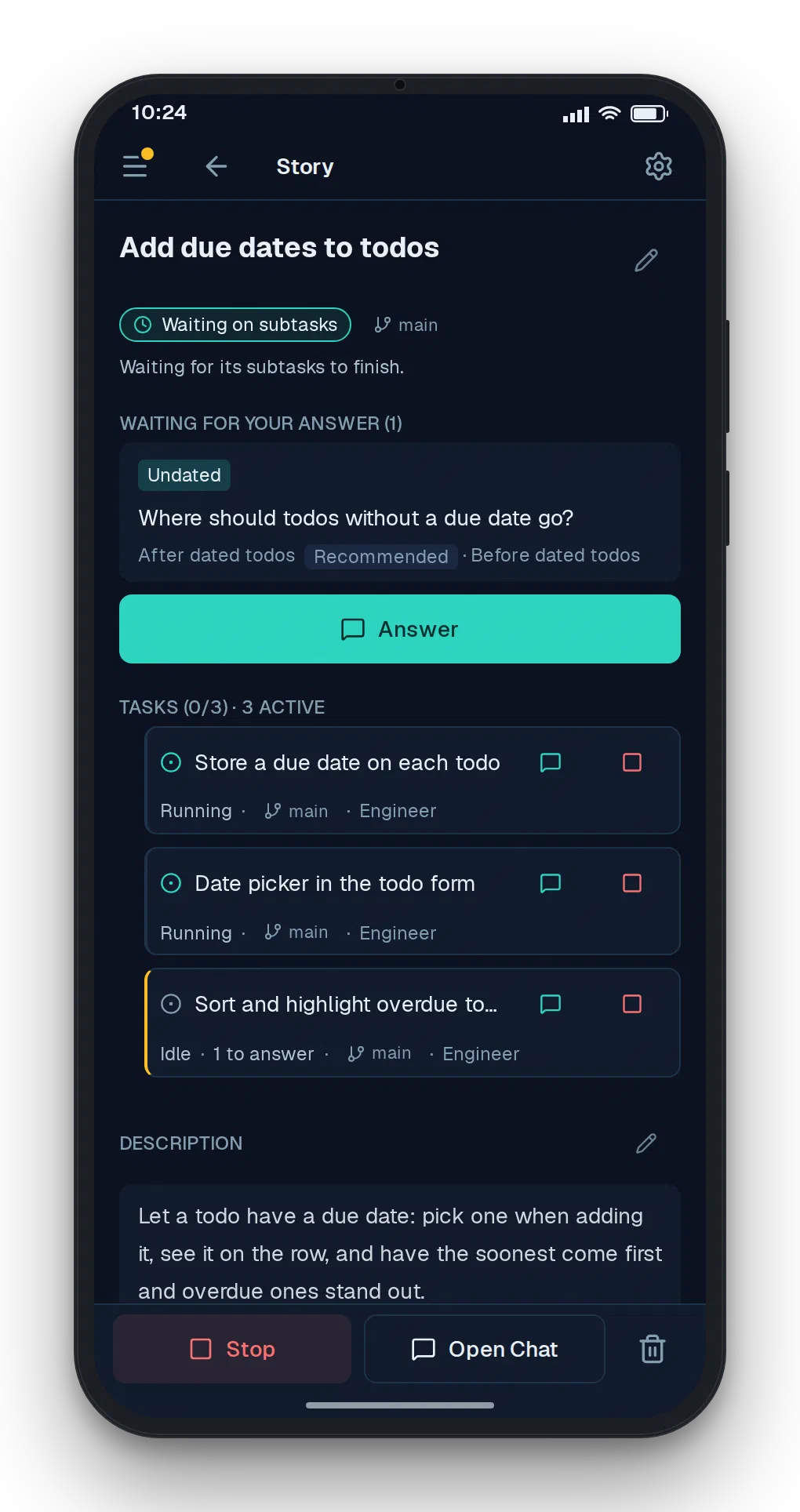
A story is a goal you hand over. An agent runs it in the role you pick — the built-in PM splits it into tasks, gives each task a role of its own, starts them and waits for their reports. You create stories; agents create tasks.
Run a story
- Sidebar → Project tab → Project → New Story.
- Enter a Title, pick a Role, tap Create.
- Open the story, write a Description, tap Start.
A story runs in the worktree you have selected when you first start it, and its tasks run in the same one. Start parallel stories from separate worktrees (worktree switcher at the top of the sidebar → New worktree) to keep their changes apart.
What the status means
| Status | Meaning | Button |
|---|---|---|
| open | Never started | Start |
| active | Pockode is driving it | Stop |
| stopped | Handed back to you; its agent does nothing until you restart it | Restart |
| closed | Finished | Reopen |
A work’s page shows its status as a badge: Open, Stopped and Closed by name, and an active work by what its agent is doing (Running, Idle, Waiting on subtasks …). The list groups current works as Stopped, Needs you, In progress and Not running, and keeps finished ones under Closed. Stopping a story stops its own agent only: tasks it has already started keep running, and the app says how many before you confirm.
A work also stops on its own when its agent goes quiet several times in a row without finishing or asking you anything. Read its comments and session, then Restart it.
Answer an agent
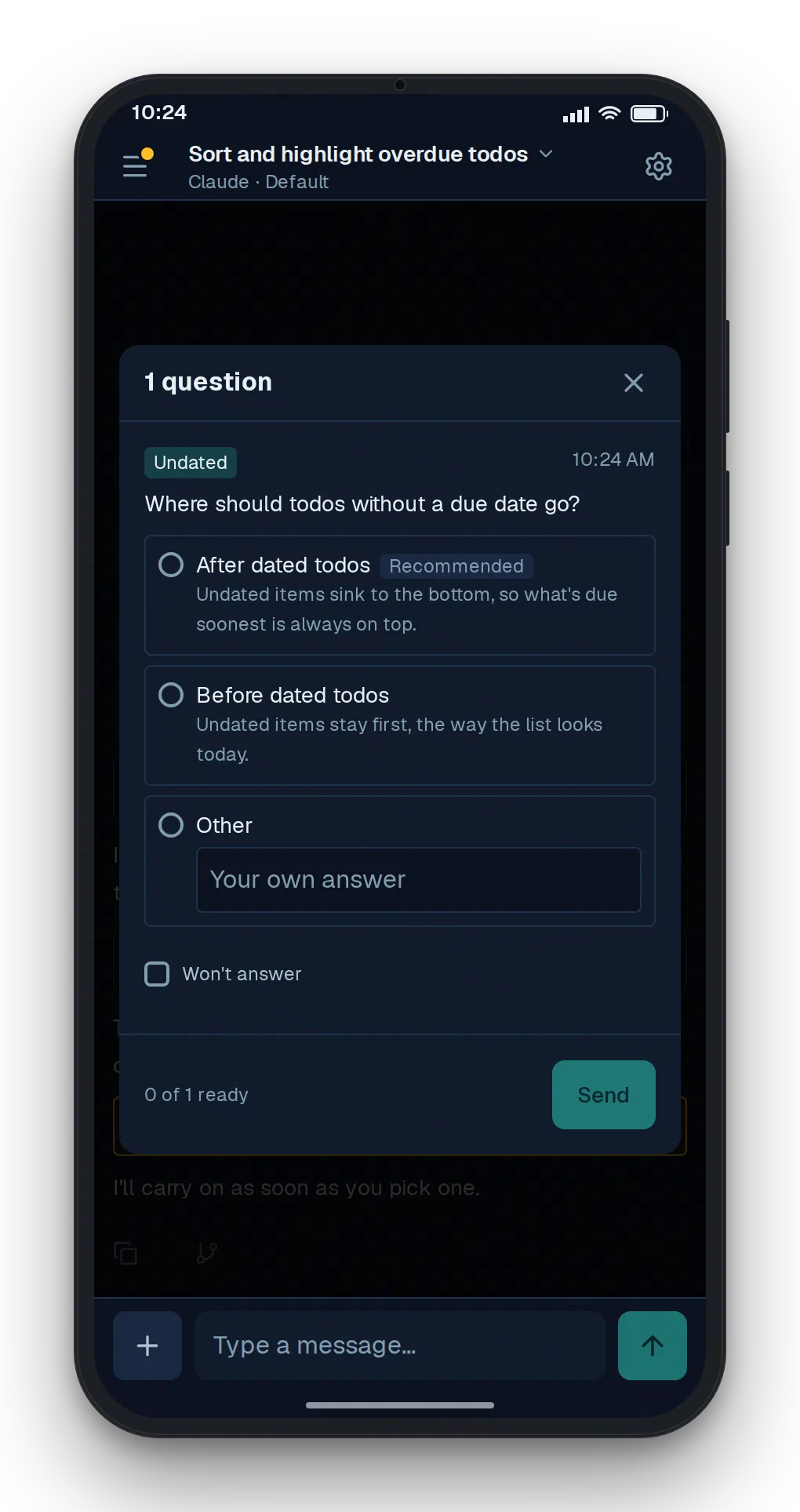
When an agent needs a decision it asks you and waits. The work moves to Needs you and the Project tab shows a badge. Tap Answer, pick an option or write your own, and tap Send. Tick Won’t answer instead to tell the agent you are not answering, so it carries on without you.
An agent waiting on you is not stuck: Pockode leaves it alone until you answer, even across a restart of pockode.
Agent roles
Sidebar → Project tab → Agent Roles. A role is what an agent is told to be. It has:
- Runs — Stories, Tasks or Both. Story roles appear in New Story; task roles are the ones a story agent assigns.
- Role prompt — the instructions the agent starts with.
- Steps — an ordered checklist. The agent marks each one done; finishing the last closes the work. The story or task page shows the progress under Steps.
- Engine — the Agent (which CLI), Model and Effort that run it. Follow settings and Auto take the defaults under Settings → Session; with an agent other than the default one, Auto leaves the model or effort to that CLI’s own default.
Default story role at the top of the list decides what New Story starts with.
Pockode ships a PM story role and task roles for an engineer, a UI designer, a documentation writer and a reviewer. Apart from PM’s, their names, prompts and steps are written in Chinese; edit them, or add your own. Reset to defaults on that page replaces every role with the built-in set, so roles you added and edits you made are lost.